AI Task Prioritization in 2026: A Practical System for Busy Teams
Most task lists fail for the same reason: they grow faster than they shrink. New requests arrive through email, chat, meetings, support tickets, project tools, and personal notes. Everything looks urgent, so people either react to the loudest request or spend too much time rearranging lists.

AI task prioritization can help by organizing work according to deadlines, impact, effort, dependencies, and risk. The best system does not ask an AI model to decide what matters in your life or business. It uses AI to surface patterns and tradeoffs so a person can make faster, more consistent decisions.
This guide is designed for U.S. professionals, managers, freelancers, and small teams that want a practical task-priority workflow for 2026. It shows how to build a system that works when the workload is normal and when the week suddenly gets busy.
Why Traditional To-Do Lists Become Overwhelming
A simple list works when you have ten tasks. It becomes unreliable when you have fifty tasks with different deadlines, owners, dependencies, and consequences. The problem is not the list itself. The problem is that every item looks visually similar even though the business impact is very different.
AI can help by reading task descriptions and context, grouping related work, detecting deadlines, spotting blocked items, and suggesting an order. It is especially useful when tasks arrive from multiple systems.
What AI can help evaluate
- Urgency based on real deadlines.
- Impact on customers or revenue.
- Whether other people are blocked.
- Estimated effort.
- Strategic importance.
- Risk if the task is delayed.
- Whether a task is actually a project that needs to be broken down.
For a wider view of automation and planning tools, see our guide to the best AI productivity tools in 2026.
Use a Five-Factor Priority Model
You do not need a complicated scoring formula. A simple five-factor model is enough for most teams.
1. Deadline
When is the task truly due? Distinguish a real deadline from a preferred date. Missing a legal filing date is very different from moving an internal draft by one day.
2. Impact
What happens if the task is completed? High-impact work may improve revenue, customer experience, security, quality, or a major project outcome.
3. Consequence of delay
Some tasks have little immediate upside but serious downside if ignored. Security patches, payroll issues, contract renewals, and customer escalations can fall into this category.
4. Dependency
Does another person or task depend on this work? A 15-minute approval that unlocks a team can be more important than a two-hour task you can complete alone.
5. Effort
How much focused time will the task require? Effort should not determine priority by itself, but it helps you fit work into the day realistically.
A Practical AI Prioritization Workflow
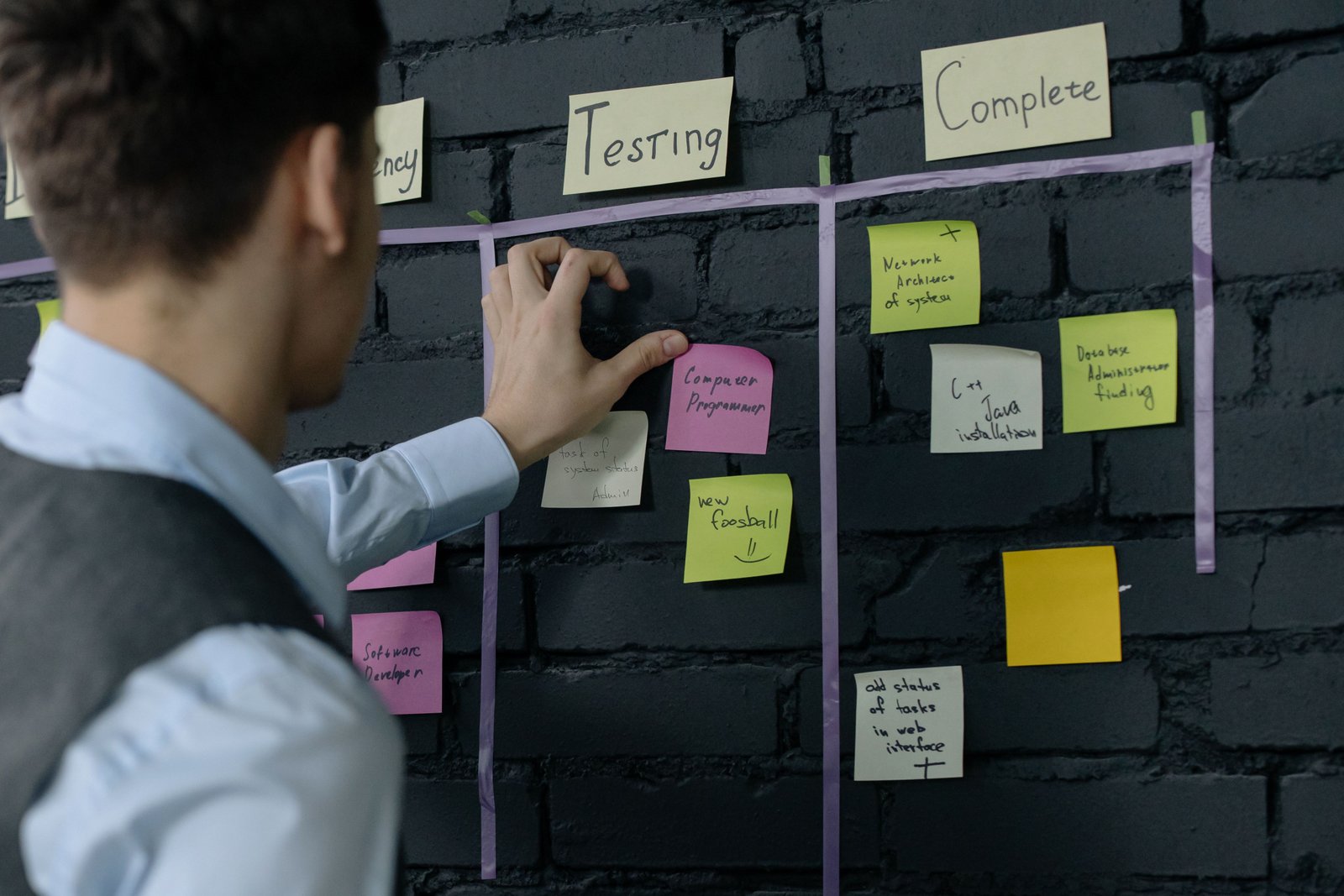
Step 1: Create one intake list
Before prioritizing, gather active work into one review view. You can still keep source systems such as email, project software, and ticketing tools, but your weekly review needs one place where priorities can be compared.
AI can help collect or summarize tasks from connected systems, provided the integrations are approved and access is limited appropriately.
Step 2: Normalize task descriptions
Tasks should start with an action and have enough context to understand the outcome. “Website” is not a useful task. “Review homepage copy and approve final changes” is.
Ask AI to rewrite vague tasks into clear action statements, but do not let it invent requirements.
Step 3: Identify deadlines and dependencies
Have the AI flag tasks with explicit dates and tasks that mention another person, approval, launch, customer, payment, or blocker. Then verify the details.
Step 4: Separate must-do work from important progress
Create two high-level groups. “Must do” includes real deadlines, customer commitments, security, finance, and work that blocks others. “Important progress” includes strategic work that can easily be postponed because it does not create immediate pressure.
A healthy week contains both. If urgent work always pushes out important work, long-term projects never move.
Step 5: Limit today’s priorities
Choose one to three major outcomes for the day. A list of twelve “top priorities” is not a priority system. Everything else can remain visible without competing for the same attention.
Step 6: Recalculate when new work arrives
When a genuinely urgent task appears, do not simply add it on top. Decide what will move. AI can help show the tradeoff by identifying which planned block or lower-priority task could be rescheduled.
Use an Urgent-versus-Important Matrix
The classic urgent-versus-important approach is still useful because it separates pressure from value.
| Type | Typical action | Examples |
|---|---|---|
| Urgent + important | Do or delegate now | Customer outage, hard deadline |
| Important + not urgent | Schedule protected time | Strategy, learning, product improvement |
| Urgent + low importance | Delegate or simplify | Routine requests, low-risk admin |
| Low urgency + low importance | Remove, defer or automate | Unnecessary reports, duplicate tasks |
AI can classify tasks into this matrix as a first pass. Review the result because the model may not understand relationship context or business consequences.
Prioritize Work That Unblocks Other People
Managers and team leads often underestimate the value of quick decisions. If five people are waiting on one approval, handling that approval may create more productivity than completing your own larger task first.
Create a “blocked by me” view
Ask your project system or AI assistant to identify tasks where you are the approver, reviewer, or dependency. Review this list at least once a day.
This does not mean responding instantly to every request. It means making invisible team dependencies visible.
Protect Important Work From Constant Urgency
Strategic work rarely sends notifications. Writing documentation, improving a process, learning a new skill, planning a product, or reducing technical debt can be important without being urgent.
Move high-value non-urgent work into the calendar. Our guide to AI time blocking in 2026 explains how to protect focus time and build realistic buffers around meetings and admin work.
Use AI to Break Large Tasks Into Next Actions
“Launch new website” is a project, not a task. Large items remain on lists because the next step is unclear.
Ask AI to break a project into stages, but provide the known constraints first. A practical breakdown might include scope, content, design, development, testing, legal review, analytics, launch, and post-launch checks. Then choose the next physical action.
Do not automatically accept a generated project plan. AI may add unnecessary steps or miss requirements that are specific to your organization.
How to Handle Recurring Tasks
Recurring work can quietly consume a large percentage of a week. Review repeated tasks every few months and ask:
- Does this still need to happen?
- Can the frequency be reduced?
- Can part of it be automated?
- Can a template make it faster?
- Can someone else own it?
AI is useful for identifying repeated patterns across calendars, tickets, and task logs. Automation platforms can then handle predictable steps. If you are exploring that path, our guide to AI agent tools explains how multi-step automation differs from a normal to-do app.
Priority Rules for Small Teams
Shared rules reduce arguments about what “urgent” means. A team might define the following:
- Production outages and security incidents are priority one.
- Customer commitments with real deadlines outrank internal preferences.
- Tasks blocking multiple people get an elevated priority.
- Strategic projects receive protected weekly time.
- No task is marked urgent without a reason.
- New urgent work requires an explicit tradeoff.
These rules are more valuable than an opaque AI score because everyone can understand them.
Privacy and Access Controls
Task systems can contain customer names, financial information, employee issues, internal plans, and confidential project details. Before connecting an AI tool, review which projects and fields it can access.
Use least-privilege access and separate sensitive workflows when necessary. The NIST AI Risk Management Framework provides a useful U.S. structure for thinking about AI risk, governance, and human oversight. The CISA Secure Our World program also provides practical security guidance for accounts and devices.
A Simple Daily Priority Prompt
You can ask a trusted assistant: review these tasks using deadline, impact, consequence of delay, dependency, and effort. Do not invent missing dates. Identify the top three outcomes for today, list any tasks blocking other people, flag work that should be scheduled rather than done immediately, and show which lower-priority task should move if a new urgent item is added.
The last instruction matters because it forces the system to acknowledge capacity.
Common Task-Priority Mistakes
- Marking everything urgent: urgency becomes meaningless.
- Ignoring dependencies: small approvals can block large teams.
- Prioritizing only by deadline: important strategic work disappears.
- Using AI scores without context: relationships and consequences may be invisible.
- Keeping vague project names on the task list: define the next action.
- Adding urgent work without removing anything: overload becomes permanent.
Weekly Priority Review Checklist
- Collect active tasks into one review view.
- Remove completed or obsolete work.
- Verify real deadlines.
- Identify tasks blocking others.
- Choose three weekly outcomes.
- Protect important non-urgent work.
- Break large projects into next actions.
- Automate or delegate repeated low-value tasks.
- Leave capacity for surprises.
- Review what was repeatedly postponed.
Frequently Asked Questions
Can AI decide my priorities automatically?
AI can suggest an order based on rules and context, but final priorities should remain with the person or team responsible for the consequences. High-impact decisions need human judgment.
How many priorities should I have each day?
For most people, one to three major outcomes are easier to execute than a long list of equally important items. Smaller maintenance tasks can sit underneath those outcomes.
What if everything really is urgent?
That usually indicates a capacity, planning, or escalation problem. Separate hard deadlines from preferences, identify what can be delegated, and make explicit tradeoffs rather than trying to complete everything simultaneously.
Should low-effort tasks always be done first?
No. Quick wins can be useful, but a five-minute low-value task should not automatically outrank an important project. Use effort as one factor, not the main rule.
Conclusion
AI task prioritization is useful because it can reduce the mental work of sorting, grouping, and comparing a busy workload. It is not a substitute for deciding what your goals, commitments, and risks actually are.
Use clear priority rules, keep daily outcomes limited, make dependencies visible, and require tradeoffs when new urgent work appears. With those boundaries, AI can help teams move faster without turning an opaque score into the boss of the schedule.