AI Meeting Notes in 2026: A Better System for Transcripts, Summaries and Action Items
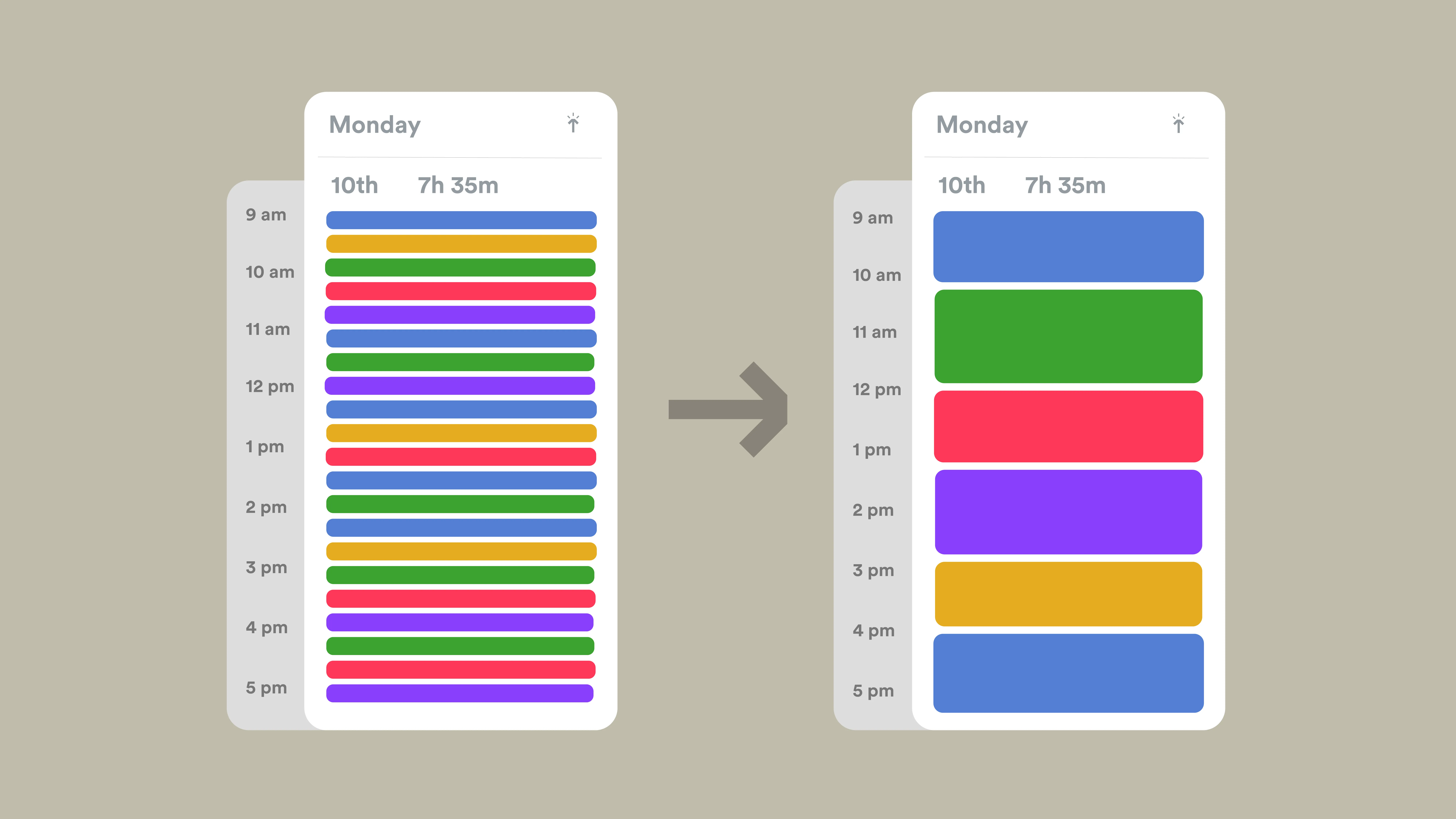
Meetings are expensive in a way that is easy to miss. The calendar block is only the visible cost. After the call, someone still has to clean up notes, confirm decisions, assign tasks, send a recap, and remember what should happen next. When those steps are inconsistent, the meeting creates more work than it removes.
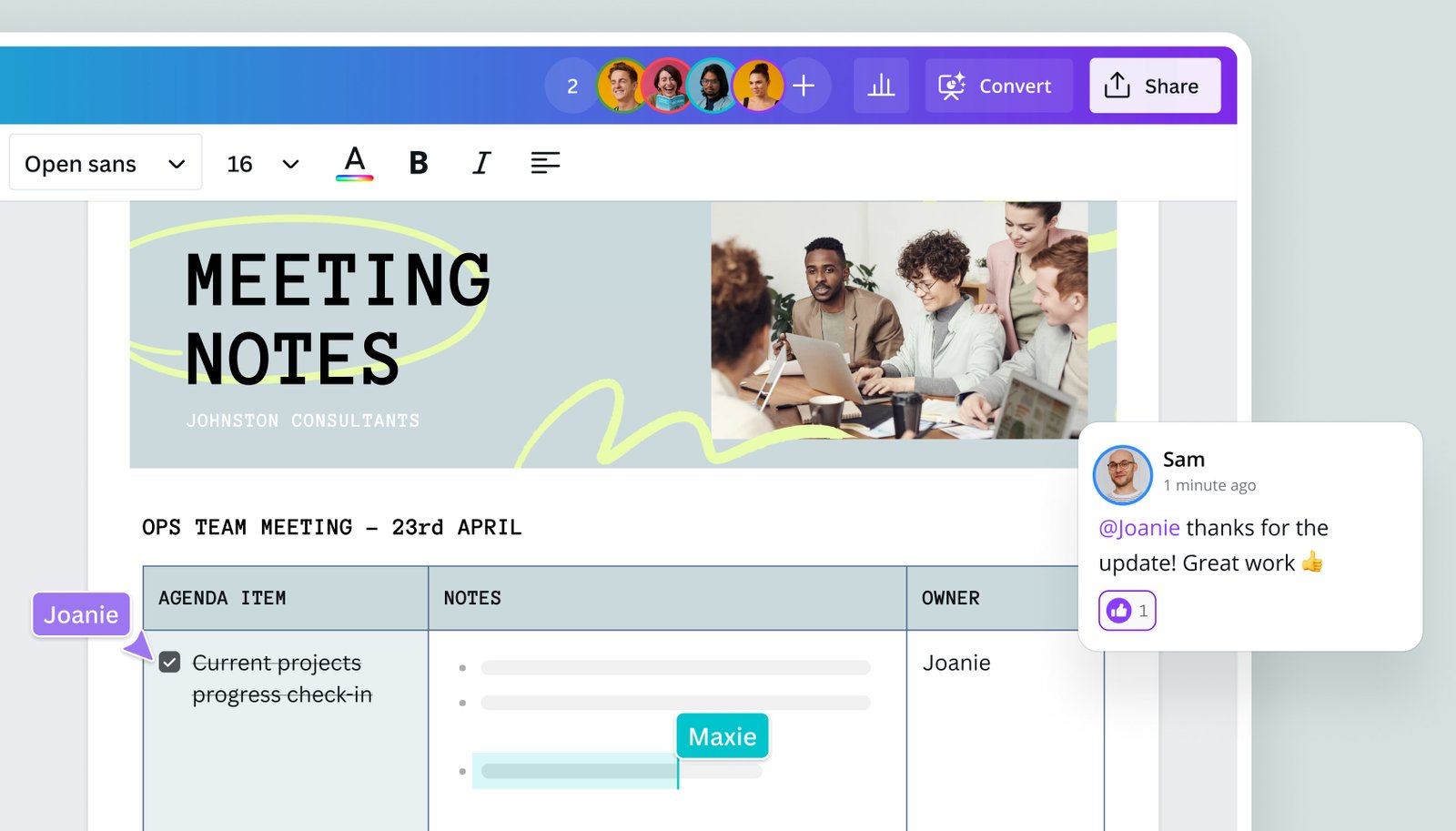
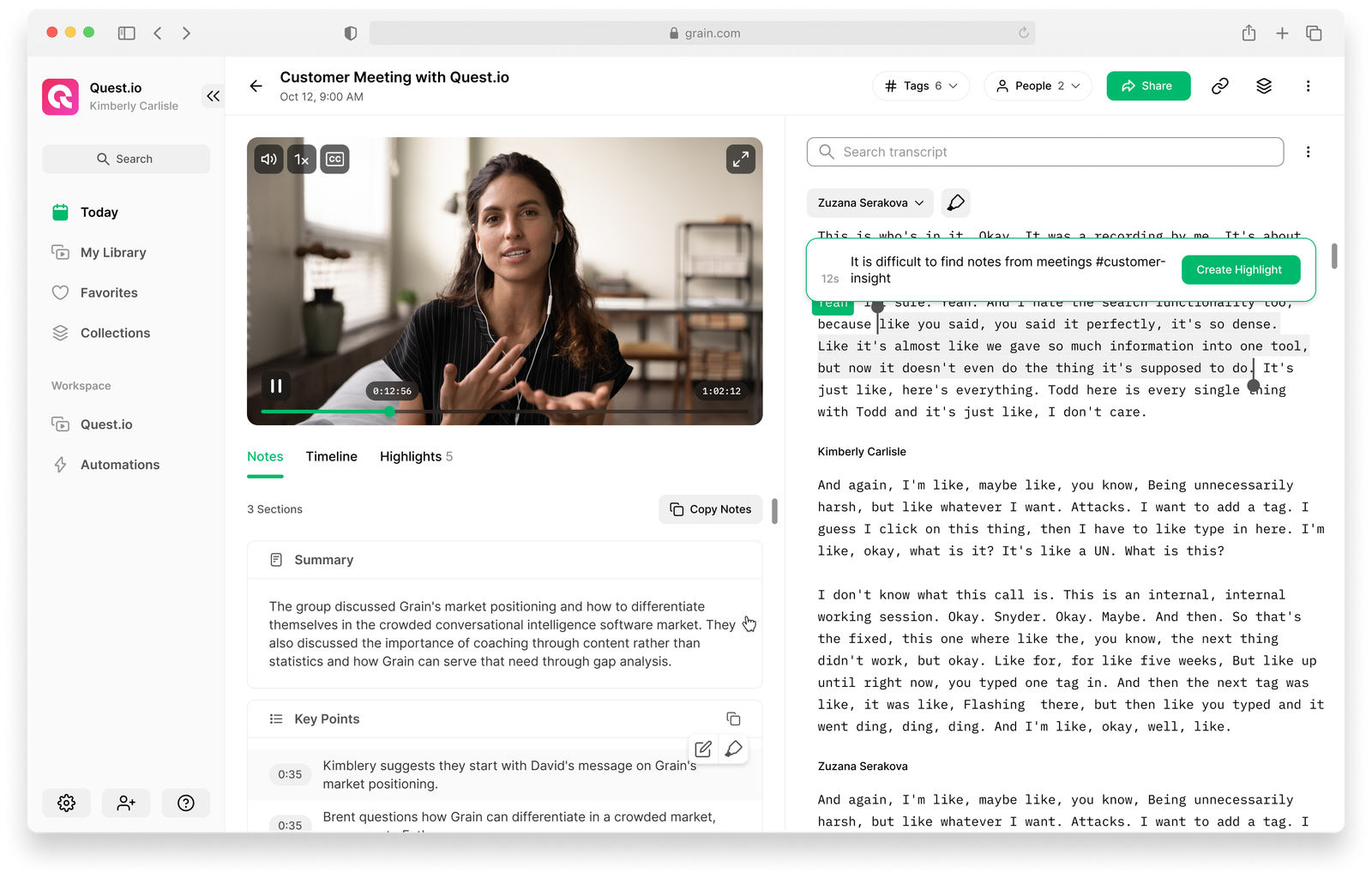
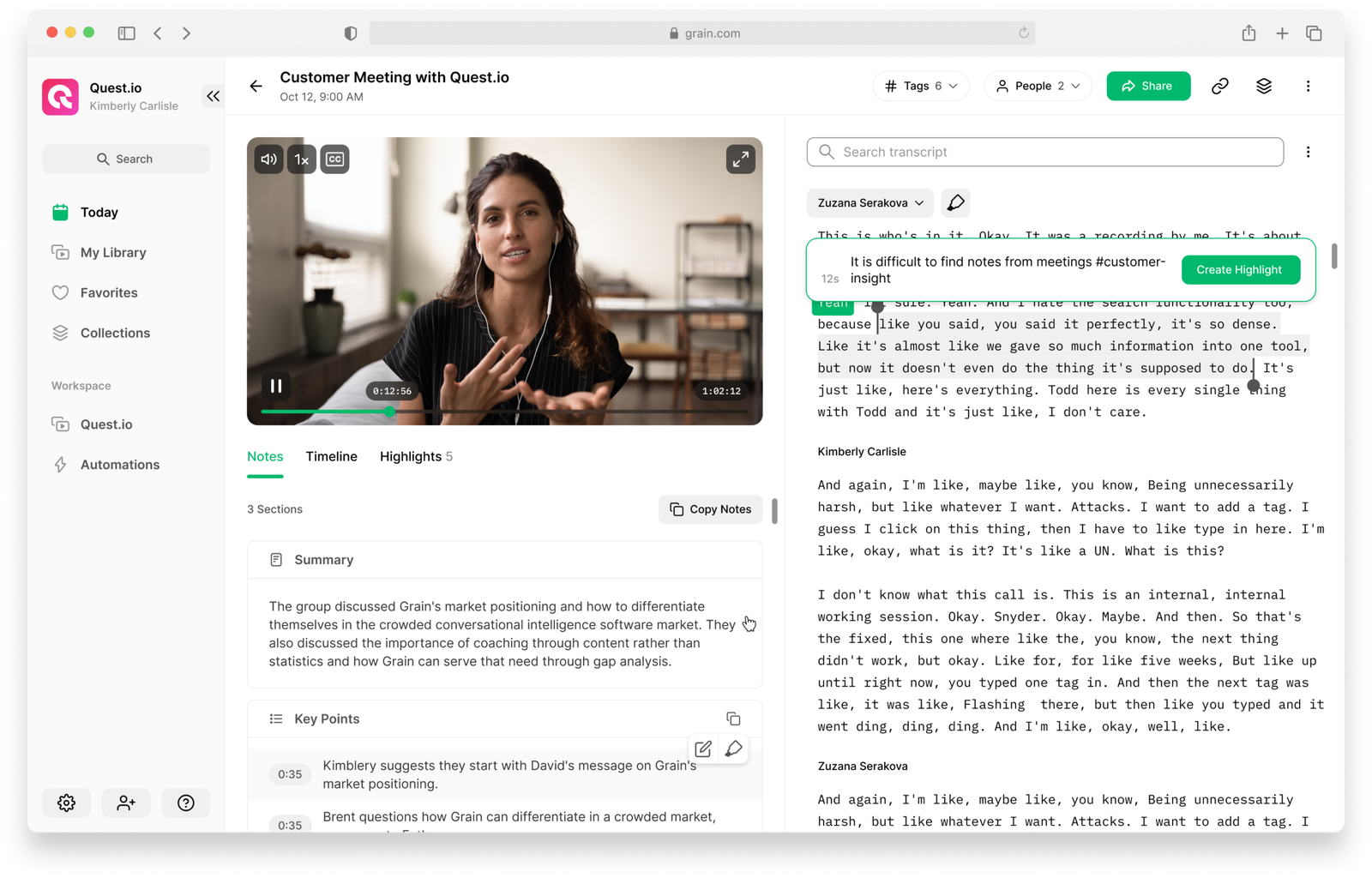
AI meeting notes can make this process much faster. Modern transcription and summarization tools can capture discussions, identify decisions, extract action items, and create a searchable record. The real productivity gain, however, comes from building a reliable workflow around the AI rather than treating an automatic transcript as the final result.
This guide is written for U.S. professionals, small businesses, and remote teams that want a practical meeting system in 2026. The goal is simple: spend less time writing notes, preserve useful context, and make sure every important decision has a clear owner and next step.
What AI Meeting Notes Can and Cannot Do
An AI meeting assistant can usually help with four layers of work: transcription, summarization, action extraction, and search. Those capabilities are useful because they remove repetitive effort, but each layer has a different level of reliability.
Transcription
Speech-to-text systems can create a near-real-time record of a conversation. Accuracy depends on microphone quality, accents, overlapping speakers, technical vocabulary, and background noise. A transcript should therefore be treated as a working record rather than a legal or perfect verbatim record unless the tool and use case are specifically designed for that purpose.
Summarization
AI can reduce a long transcript into key points, themes, and decisions. This is often the biggest time-saver because most people do not need to reread every sentence. The risk is that a summary can omit nuance, especially when a decision was tentative or when participants disagreed.
Action-item extraction
AI can detect phrases that sound like commitments and turn them into tasks. That is useful, but it should not be allowed to invent an owner or due date. A reliable system marks uncertain details for review instead of guessing.
Search and recall
When transcripts are stored in an approved workspace, AI can help answer questions such as “What did we decide about the launch date?” or “Which customer issues came up in the last three calls?” This turns meeting history into a searchable knowledge base instead of a pile of forgotten documents.
If you are building a broader workplace stack, see our guide to the best AI productivity tools in 2026 for tools that can connect meeting notes with tasks, documents, and automation.
The Best AI Meeting Notes Workflow
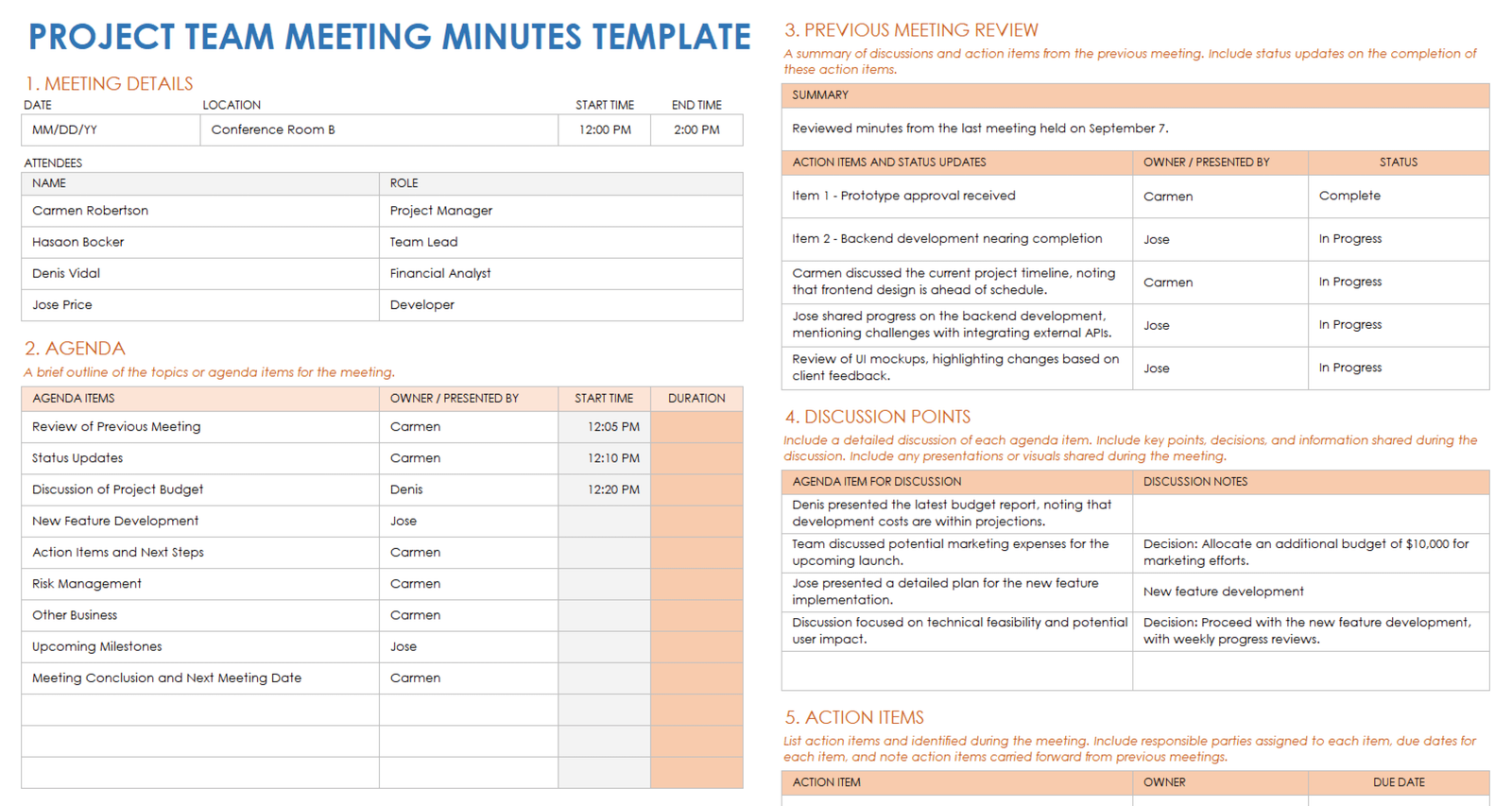
The strongest workflow has three phases: before the meeting, during the meeting, and after the meeting. AI helps in all three, but the human owner of the meeting still decides what is official.
Before the meeting: define the outcome
Every meeting should begin with a clear purpose. Are you trying to make a decision, collect information, solve a problem, review progress, or coordinate work? Put that objective in the agenda. It gives the AI better context and makes the final summary easier to evaluate.
For recurring meetings, add a short section listing unresolved items from the previous call. This prevents the team from repeatedly discussing the same issue without closing it.
During the meeting: capture, do not over-document
If an approved AI assistant is recording and transcribing, participants can focus more on the conversation and less on typing. Still, someone should mark major decisions as they happen. A simple phrase such as “Decision: we will launch on Tuesday” or “Action: Maya will confirm pricing by Thursday” makes both human and machine notes more reliable.
Encourage participants to clarify ambiguous commitments. “We should probably do that soon” is not an action item. “Jordan will send the revised draft by 3 p.m. Friday” is.
After the meeting: review before distributing
Do not automatically send an AI summary to everyone the moment the meeting ends. Give the organizer or note owner a short review window. Confirm names, dates, decisions, and anything involving money, legal obligations, customer promises, or sensitive information.
A five-minute review can prevent hours of confusion later.
Use a Structured Meeting Summary
Generic summaries often sound polished but are hard to act on. A structured format is more useful. Ask the AI to organize the recap under the following headings:
- Purpose: Why the meeting happened.
- Key discussion points: Important context, not every detail.
- Decisions: What was actually agreed.
- Action items: Task, owner, and due date.
- Open questions: What remains unresolved.
- Risks or blockers: Issues that could delay progress.
- Next checkpoint: When the team will review progress again.
This format is easy to scan and easier to compare across multiple meetings.
Turn Action Items Into Real Tasks
The most common meeting-notes failure is leaving tasks inside the recap. An action item is not finished when it appears in a summary. It needs to move into the system where the team actually tracks work.
Every action item needs four fields
- Clear task description.
- One accountable owner.
- A due date or review date.
- A link to the relevant meeting context.
If a task has two owners, it often has no owner. Choose one accountable person and list collaborators separately.
AI can draft the tasks automatically, but a human should validate important commitments before they are assigned. This is especially important when a meeting contains tentative language or multiple possible deadlines.
How to Handle Consent, Privacy and Recording Rules
Recording meetings creates privacy and legal considerations. Laws can vary by state and situation, and company policies may be stricter than the legal minimum. Do not assume that one rule applies to every participant or every type of call.
For workplace use, create a clear policy that explains when meetings may be recorded, how participants are notified, where recordings are stored, who can access them, and when they are deleted. For legal questions about consent requirements, use qualified advice for the states and circumstances involved rather than relying on an AI-generated answer.
The NIST AI Risk Management Framework is a useful U.S. reference for thinking about AI governance, transparency, and risk controls. For consumer and privacy concerns, the FTC privacy and security guidance is also worth reviewing.
Use least-privilege access
A meeting assistant does not automatically need access to your entire email history, file storage, CRM, or company directory. Connect only the services required for the workflow. Restrict access to sensitive teams such as HR, finance, security, and legal unless there is a specific approved use case.
Meeting Notes for Different Types of Calls
One summary format does not fit every meeting. Adjust the output to the purpose.
| Meeting type | Best AI output | Human review focus |
|---|---|---|
| Weekly team sync | Progress, blockers, actions | Owners and deadlines |
| Customer call | Needs, commitments, follow-ups | Promises and sensitive data |
| Project planning | Decisions, dependencies, risks | Scope and dates |
| Brainstorming | Ideas grouped by theme | Avoid treating ideas as decisions |
| Interview | Structured notes by question | Bias, privacy and hiring policy |
| Training session | Key lessons, resources, Q&A | Technical accuracy |
How to Prompt an AI Meeting Assistant
Good prompts are specific about the output. Instead of saying “summarize this meeting,” ask for a practical deliverable.
Prompt structure
- State the meeting type.
- Define the audience for the summary.
- Specify the sections you want.
- Tell the AI not to invent owners or dates.
- Ask it to flag uncertainty.
- Set a length limit.
For example, you can ask for a 300-word project recap with confirmed decisions, action items in a table, unresolved questions, and any statement that appears uncertain. Tell the assistant to quote or reference the relevant transcript section when a deadline or commitment is ambiguous.
Build a Searchable Meeting Knowledge Base
Once your team has dozens of transcripts, organization matters. Store approved summaries in a consistent location and use predictable names such as project, meeting type, and date. Add links to the original transcript or recording when policy allows.
A strong knowledge base makes past decisions easy to retrieve. It can also reduce repeat meetings because people can answer basic history questions on their own.
This is where AI meeting tools connect naturally with AI agents and modern workplace automation. An agent may be able to summarize a meeting, create tasks, update a project page, and prepare a follow-up draft. The important requirement is that the workflow remains auditable and that high-impact actions have appropriate review.
Common Mistakes to Avoid
- Saving every recording forever: create a retention policy instead of accumulating sensitive data.
- Trusting speaker labels blindly: verify names when the transcript matters.
- Sending summaries without review: incorrect commitments can create real business problems.
- Leaving actions inside the transcript: move tasks into the real project system.
- Recording sensitive meetings by default: some conversations should not be captured by an AI tool.
- Using AI notes as a substitute for an agenda: better capture cannot fix a meeting with no purpose.
A Simple 20-Minute Setup
- Choose one approved meeting platform and one note destination.
- Create a standard agenda template.
- Create a standard AI summary template.
- Define which meetings may be recorded.
- Set a review owner for each meeting.
- Connect action items to your task manager.
- Create a folder or database for approved summaries.
- Test with three low-risk meetings.
- Review errors and adjust prompts.
- Document the final workflow for the team.
Frequently Asked Questions
Are AI meeting notes accurate?
They can be very useful, but accuracy varies with audio quality, speaker overlap, terminology, and the specific software. Important decisions, names, numbers, and deadlines should be checked against the original conversation.
Should I keep the full transcript?
Only if there is a clear business reason and your privacy, security, and retention policies support it. Many teams can keep an approved summary and delete raw recordings after a defined period.
Can AI automatically create tasks from meetings?
Yes, many workflows can extract tasks and send them to project-management software. The safest approach is to review owners and due dates before important tasks become official commitments.
What is the best format for AI meeting notes?
A short structured recap with decisions, action items, open questions, blockers, and next steps is usually more useful than a long narrative summary.
Conclusion
AI meeting notes are most valuable when they help a team move from conversation to action. The transcript is only the raw material. The real system is the combination of a clear agenda, reliable capture, a reviewed summary, assigned tasks, and searchable history.
Start with one meeting type and one consistent template. Keep humans responsible for final decisions and sensitive commitments. Once the workflow is reliable, automation can remove a large amount of repetitive note-taking without sacrificing context or accountability.