AI Survey Analysis in 2026: Google Forms, Microsoft Forms and Better Feedback Workflows
AI can now generate quizzes, draft survey questions and summarize large volumes of feedback inside mainstream productivity suites. The most useful 2026 workflow is not “let AI run the survey”; it is a controlled process where AI speeds up drafting and classification while people remain responsible for research quality.
Updated September 2026. This guide uses current official product documentation and does not claim hands-on testing of every paid feature.
What is new in 2026
Google’s August 2026 Workspace feature drop added quiz generation to “Help me create” in Google Forms. Users can describe a quiz and reference Drive files such as Docs, Slides or PDFs, and Gemini can build the form with answer settings. Microsoft is also consolidating its survey AI experience: Microsoft Support says the standalone Surveys Agent is being retired during July and August 2026 in favor of the integrated Copilot experience in Microsoft Forms.

Design the decision before the survey
Write the decision you expect the survey to inform. Then identify which evidence would actually change that decision. This prevents teams from creating long forms full of interesting questions that never affect action.
Keep one concept per question. Avoid leading language, double-barreled questions and answer options that overlap. For satisfaction scales, keep the direction consistent throughout the form so respondents do not accidentally reverse their meaning.
Use AI for drafts, not final wording
AI is useful for creating a first question bank, grouping similar questions, rewriting complex language and generating training quizzes from approved material. It is less reliable at recognizing organization-specific bias, compliance requirements or cultural nuance unless those constraints are explicitly supplied.
Have a subject-matter owner review the final form. For employee, customer or research surveys, also check whether data collection and retention comply with your policy and applicable law.

Analyze open-text feedback safely
- Remove unnecessary personal identifiers.
- Create a coding scheme for common themes.
- Ask AI to classify comments and flag ambiguous cases.
- Manually review a sample from every category.
- Keep representative verbatim comments separate from generated summaries.
- Report the number of responses behind every percentage.
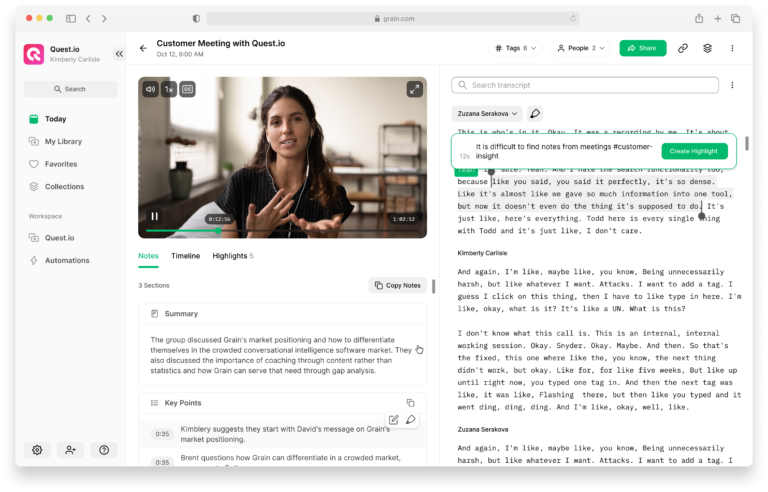
This approach lets AI do the repetitive classification work while preserving an audit trail that a human can review.
Do not confuse sentiment with a reason
A negative comment can describe price, reliability, onboarding, support or something else. A single sentiment score can hide the actual cause. Ask the analysis to separate topic, sentiment, urgency and requested action. For small samples, show counts instead of impressive-looking percentages.
A practical feedback report
A useful report can fit on one page: response count and date range; three strongest themes; three friction points; one table of segment differences; representative comments; and three recommended actions with owners. Include limitations such as low response rate, missing segments or self-selection.
If the survey is recurring, keep the same core questions long enough to measure trend. Changing the scale or wording every month can create an artificial change that looks like a business signal.
Validate AI-generated summaries
Take a random sample of responses and compare the original comments with the generated themes. If important complaints are being merged into broad categories or minority viewpoints are disappearing, refine the coding scheme. For executive reporting, include both the high-level theme and the underlying response count.

Bottom line
AI is making forms and survey analysis faster in 2026, but speed is not the same as evidence quality. Design the decision first, use AI to accelerate drafting and coding, and keep a human check on bias, privacy and interpretation.
Official sources checked
- Google Workspace August 2026 feature drop
- Microsoft Support — Surveys Agent and Microsoft Forms Copilot
Related GetTechDose guides
Frequently Asked Questions
Can AI generate a Google Forms quiz?
Yes. Google added quiz generation to Help me create in Forms in August 2026 for eligible Workspace users.
Is Microsoft Surveys Agent still the long-term tool?
Microsoft says the standalone Surveys Agent is being retired as survey AI moves into Microsoft Forms.
Can AI summarize open-ended feedback reliably?
It can accelerate coding, but teams should validate categories and review a sample to catch misclassification and lost nuance.