Best AI Writing Tools in 2026: ChatGPT, Gemini, Claude and More
AI writing software can save time on outlines, rough drafts, edits and routine messages. Yet a faster draft is useful only if it is correct and readable. This guide compares everyday ways to use recognized tools without claiming that one tool is best for everyone.
2026 AI Writing Tools: A Fair, Real-World Comparison
Instead of ranking writing tools by marketing claims, run the same short assignment in each: draft a 300-word U.S. help article with sources, revise it for a UK audience, and then fact-check every name and number. Compare accuracy, editing control, citations, document export, privacy settings and price at the current local checkout. Canadian and Australian writers should test regional spelling and regulatory references. Never submit raw AI text as a researched product review without verifying claims or disclosing material commercial relationships.
Start by choosing the writing job
The best AI writing tool is not always the one that produces the longest answer. A blogger may need outlines, a student may need help with structure, and a sales team may need clear replies that follow a brand guide. Write down the task before you choose software. Then decide what you must keep human: facts, legal claims, personal experience, customer promises, and final editorial judgment. Many tools can draft a first version, but none should be trusted to invent your lived experience. Ask whether the tool reduces editing time, fits your document system, and protects the information you enter. A free tool you use well may beat an expensive suite that adds friction.
ChatGPT for flexible drafts and revisions
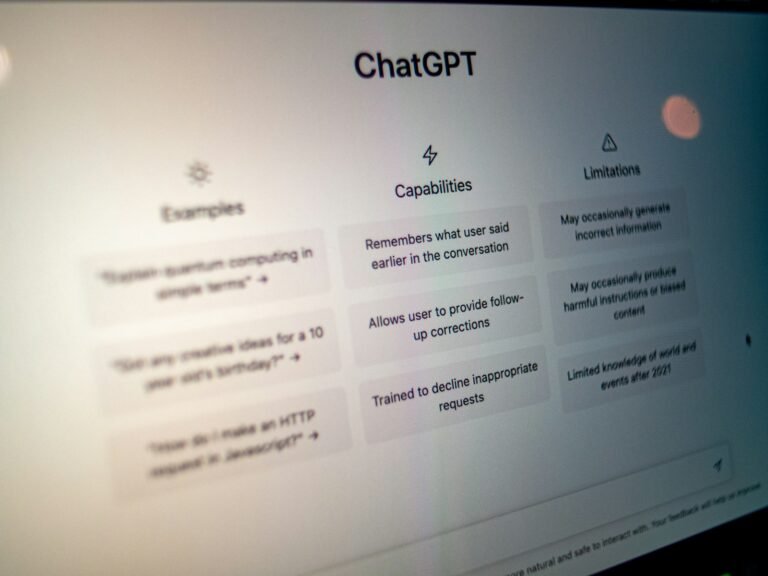
ChatGPT can help plan, rewrite, simplify, and compare versions of text. It is useful when you need a clear structure or a second set of eyes on a rough draft. For instance, a customer service agent can paste a redacted reply and ask for a warmer tone without changing a refund policy. A content editor can ask for a shorter intro and a list of factual claims that still need checking. The key is to provide a real goal and constraints. “Write a great blog post” is vague. “Create an outline for a 1,500-word guide for new Windows users, with common errors and official sources” is easier to review. Always check claims, names, and links before publishing.
Gemini for Google Workspace documents
Google Workspace includes Gemini features in supported editions and apps such as Docs, Gmail and Drive. This can help teams that already store briefs, comments and reference files in those tools. For example, a project lead may draft a status note in Docs while referencing approved Drive documents. Availability varies by plan, language, administrator settings and feature rollout. Treat connected context carefully: the assistant may be able to use files your account can access, but that does not mean every source is current or suited to the task. Always review which documents were used, remove out-of-date claims, and check that private context does not appear in the finished text.

Microsoft Copilot inside Word
Microsoft 365 Copilot may suit teams whose writing lives in Word, Outlook and SharePoint. A manager can start with a rough proposal, ask for a plain-language summary, and then revise the sections that need approval. Business editions and permissions affect available features. Do not assume that a Copilot suggestion has seen every relevant company file. When writing policy or client messages, confirm the exact source of a commitment. A clear human review step is essential. If your team has an established template, place the template in the workflow first, then use AI to fill a draft for review rather than letting it invent a new format.
Grammarly for finishing work
Grammarly is often used for grammar, clarity and tone feedback across writing surfaces. It can be a practical fit when the first draft is yours and you want to improve readability without changing the whole message. Review suggestions in context: a short sentence is not always better if it loses a legal or technical distinction. A brand may intentionally use terms that grammar tools flag. For an important document, ask someone with subject knowledge to check the meaning after edits. A polished sentence can still contain the wrong number or promise. Be clear about which extensions are permitted in your company browser before installing them.
Claude for long-form thinking and editing
Claude is another general-purpose assistant that can support structure, editing and careful reasoning over provided text. It may help when you have a long draft and need to identify repeated ideas, weak transitions or missing reader questions. Keep the task precise. Ask for an editorial map that lists each section and the problem it solves, rather than a blanket rewrite that removes your voice. For confidential files, check your organization’s approved tools and current account settings. Long input does not guarantee perfect coverage; spot-check whether the assistant addressed details near the middle of a large document.

Human voice beats a uniform AI style
Readers can notice when every paragraph sounds the same. A useful guide varies rhythm because the job varies: a short warning, a concrete example, and a fuller explanation have different roles. To keep writing natural, give the assistant a few paragraphs that already reflect your style and explain what should remain unchanged. Do not ask it to invent a personal story or pretend to have tested a product. Add real interviews, original images, screenshots you created, firsthand measurements, or a case study when you have them. If you do not have firsthand evidence, say the piece is based on research. Trust grows when a reader can tell the difference.
Fact-checking is part of writing
AI tools can produce plausible but incorrect dates, prices, quotes and URLs. Treat every concrete claim as a note requiring a source. For software features, use vendor documentation and release notes. For a law, use an official regulator or government publication and seek expert review where needed. For academic claims, trace the paper and check what the researchers actually measured. When a tool gives a quote, locate the original words before attributing it to a person. You can ask AI to create a fact-check table with claim, source, date and verification status. A link is evidence only after you have opened it and checked the page.
How to compare outputs fairly
Test the same real writing brief across tools, then score each draft against the same rubric. Include accuracy, clarity, editing effort, structure, tone and whether the tool followed requirements. Use a short, low-risk sample with no private customer data. A draft that sounds impressive but changes a factual commitment should score poorly. A draft that needs little editing may deserve a higher score even if it is not the most creative. Test two genres if your work varies, such as a product how-to and a client update. Prices and limits change, so compare plans only after looking at the vendor’s current page.

A practical SEO workflow
For a search-focused guide, identify the main reader question and the smaller questions needed to answer it. Review competing information, then build an outline based on usefulness, not keyword repetition. Give AI the reader’s goal and your verified source notes. Ask it to draft one section at a time, with plain language, examples and natural search terms. Add internal links to relevant pages that truly help the reader. Write a meta title and description that accurately describe the article. Do not treat a focus keyword score as evidence that the content is helpful. Read the finished piece aloud and cut every sentence that adds no new value.
Privacy and editorial safeguards
Do not paste private customer messages, unreleased business plans or employee records into a writing tool without proper permission. Remove identifying details for ordinary drafting practice. Check whether a browser extension can read text on every site or only where you enable it. For team use, define who approves output, how corrections are tracked, and how sources are stored. AI-generated text can create copyright and confidentiality questions, especially if a draft includes proprietary material. Follow your organization’s policies and consult qualified professionals for legal questions. Keep a version history so you can recover a correct passage after an overzealous rewrite.

Which writer should use which tool?
A freelancer who works across formats may prefer a flexible assistant such as ChatGPT or Claude. Someone who writes mainly in Google Docs may benefit from Gemini in Workspace. A team built around Word may find Microsoft 365 tools more convenient. Someone who mostly needs grammar and tone review may prefer Grammarly. None of these suggestions is a universal winner. Test the actual task on your own account and check product limits, pricing and privacy rules first. The best tool should leave you with fewer errors and more time for research, interviews and thoughtful editing, not just more words in less time.
Frequently asked questions
Can AI write an entire blog post?
It can draft text, but a responsible publisher still needs original value, verified facts, editorial review and correct attribution.
Which AI writing tool is best for SEO?
Choose one that helps you answer reader questions clearly. No tool guarantees rankings, and keyword stuffing can make a page worse.
Should I use AI for client emails?
Yes, for drafts and tone checks when company policy permits it. Verify every promise, date and number before sending.
Do AI tools replace an editor?
They can support editing, but people remain responsible for accuracy, judgment and the final message.
Three real workflows you can copy
Workflow one: a small business service page
A local repair shop wants to explain its booking service. The owner writes down the actual services offered, hours, service area, warranty details and common customer questions. AI can propose a page outline, but it should not invent repair guarantees, turnaround times or customer reviews. The owner drafts a simple opening paragraph in their own voice, then asks the writing tool to remove unclear wording. A staff member checks every promise against the business policy. The finished page includes real opening hours, a clear contact process, and a note explaining what happens after someone submits a request. This is useful writing because it answers a buyer’s practical question, not because it contains a certain number of keywords.
Workflow two: a weekly internal update
A project manager has notes from five meetings and needs a short email. First, remove unnecessary names or private details, or use an approved enterprise tool with the right permissions. Ask AI to sort the notes into progress, blockers, decisions and next steps. Check each item against the original notes. If someone promised to deliver a file on Friday, verify that date. If a problem is still being investigated, state that rather than declaring it solved. Then revise the tone for the intended audience. A busy executive may need five lines, while a working team may need more context. The best output is easy to act on and hard to misunderstand.
Workflow three: a research-backed explainer
An editor wants a guide to protecting files on a laptop. Gather vendor help pages, current support policies and reputable security advice first. Record the date each source was accessed. Use AI to organize topics such as backups, device updates, password safety and recovery. Write examples that are realistic but do not pretend they came from a test you never ran. Give sources next to important claims, confirm all links work, and edit the text for a reader with little technical knowledge. Add screenshots only when they accurately show the current interface. Before publishing, ask a second person to follow the steps; if that reader gets stuck, revise the instructions.
Measure success after publishing
Good writing has a job. A how-to article should help someone finish a task. A support page should reduce avoidable questions. A comparison should help a buyer choose with confidence. Pick a measure that fits the page. For a tutorial, monitor whether people reach the final steps and where they leave. For a client email, look for fewer clarification replies. For SEO content, review search queries, useful engagement and whether the information remains current. Do not judge quality only by the number of words produced in a minute.
After publication, schedule editorial reviews for facts that change: prices, software features, model names, eligibility rules and laws. A clear article from last year can mislead readers today. Record corrections and update dates only after meaningful changes. Readers benefit from reliable maintenance more than from a never-ending stream of near-duplicate pages.
Official sources and related reading
For the latest product capabilities, see OpenAI Academy, Google Docs Editors Help and Microsoft Support. On GetTechDose, continue with Best AI Tools in 2026, ChatGPT vs Gemini and AI Productivity Tools.