Best Project Management Apps in 2026: How Small Teams Should Choose
Project management software is supposed to make work visible. Yet many teams end up with the opposite problem: dozens of boards, duplicated tasks, ignored notifications, and status meetings that exist because nobody trusts the system.

The best project management app in 2026 is not the platform with the most features. It is the one your team can use consistently to answer a few basic questions: What are we doing? Who owns it? When is it due? What is blocked? What changed? What needs attention next?
This guide is written for U.S. small businesses, agencies, remote teams, and growing companies that need a practical way to compare project management tools without turning software selection into a project of its own.
Start With the Work, Not the App
Before comparing software, describe how your team actually works.
Ask these questions
- How many active projects do we run at once?
- Are tasks mostly independent or highly dependent?
- Do clients need access?
- Do we manage recurring work?
- Do we need time tracking?
- Do we need approvals?
- Are files stored inside the project tool or elsewhere?
- Which tools must integrate with it?
A simple team may need little more than lists, owners, due dates, and comments. A larger delivery team may need dependencies, workload views, custom fields, automations, and reporting.
The Core Features That Matter Most
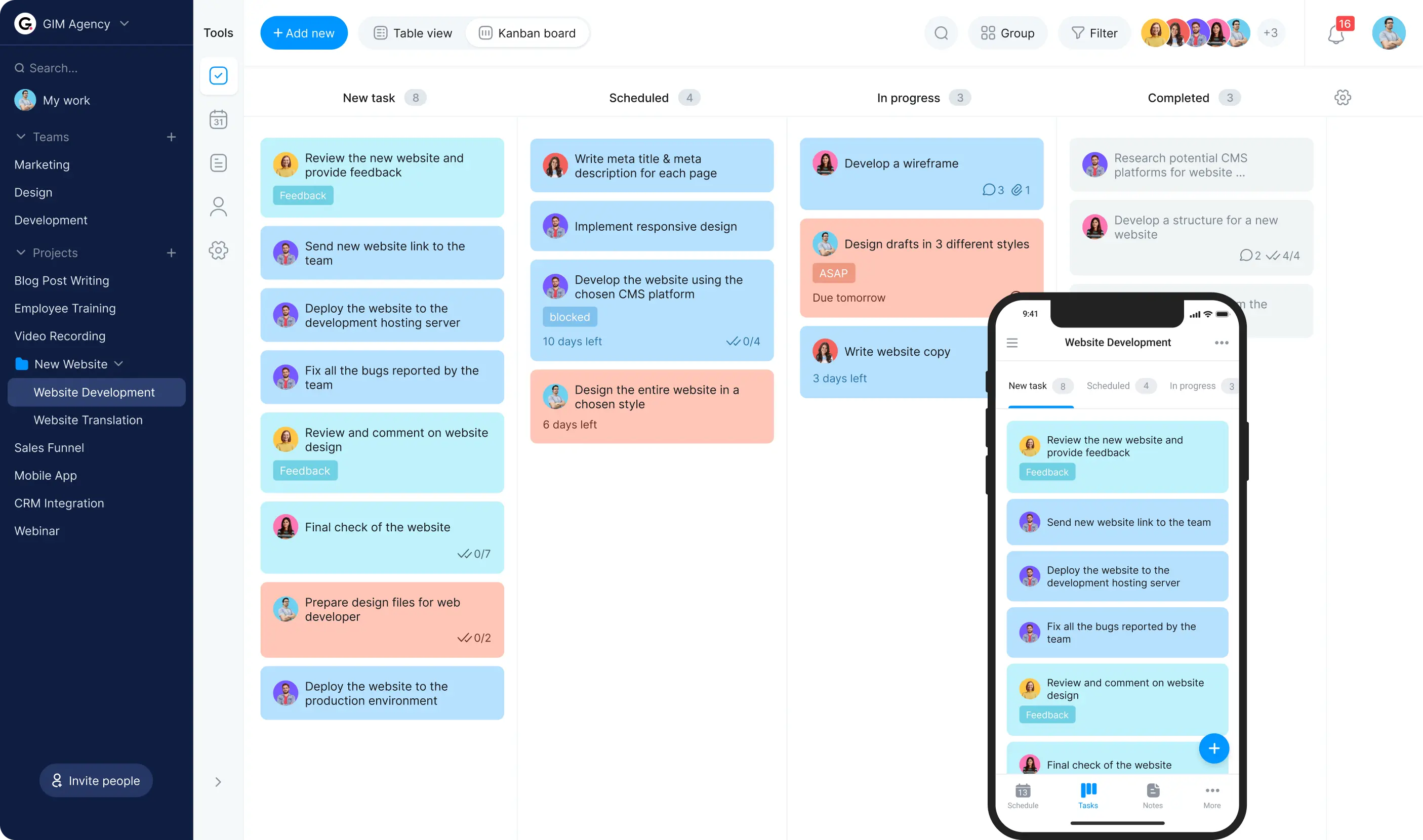
Clear task ownership
Every task should have one accountable owner. Collaborators can be included, but responsibility should be obvious.
Useful views
Different people need different perspectives. A contributor may prefer a personal task list, while a manager may need a board, timeline, calendar, or workload view.
Dependencies
If one task cannot begin until another is complete, the software should make that relationship visible.
Search
As projects grow, search becomes essential. You should be able to find tasks, comments, files, and decisions without knowing exactly where they were stored.
Permissions
Small teams often work with contractors and clients. Guest access and project-level permissions can prevent over-sharing.
Automation
Simple rules can assign tasks, update status, send reminders, create recurring work, or move items based on defined triggers.
Reporting
Useful reporting should answer real questions such as what is overdue, what is blocked, where workload is concentrated, and whether milestones are slipping.
Popular Project Management Platforms to Evaluate
Asana
Asana supports task lists, boards, timelines, goals, forms, rules, and team collaboration. It can work well for teams that want structured project tracking with multiple views.
Review current features on the official Asana website.
Trello
Trello is known for its visual card-and-board approach. It can be a strong fit for teams that prefer simple Kanban-style workflows and do not need heavy project complexity.
See current details on the official Trello website.
ClickUp
ClickUp combines tasks, documents, dashboards, automation, goals, and other workspace features. It appeals to teams that want many functions in one platform, though the flexibility can require more setup.
Check current capabilities on the official ClickUp website.
Monday.com
Monday.com uses configurable boards and workflows for project, operations, CRM, and other business use cases. It can be useful for teams that want visual customization across different processes.
Review current information on the official Monday.com website.
Notion
Notion blends documents, databases, notes, and project tracking. It can work well for teams that want project tasks and knowledge in the same workspace.
See current product details on the official Notion product page.
Microsoft Planner and related Microsoft 365 tools
Teams already using Microsoft 365 may prefer project tools that fit naturally with Teams, Outlook, SharePoint, and the broader Microsoft environment.
Review current options on the official Microsoft task management page.
Match the App to the Work Style
| Team style | Features to prioritize |
|---|---|
| Simple creative team | Boards, comments, due dates, attachments |
| Agency with clients | Guests, approvals, templates, reporting |
| Product team | Dependencies, roadmaps, custom fields |
| Operations team | Recurring tasks, forms, automation |
| Remote team | Async updates, notifications, docs |
| Small business | Low admin overhead, integrations, clear ownership |
Do Not Choose Based on AI Features Alone
Many project tools now offer AI for summaries, task creation, writing, search, and project updates. These can be useful, but they do not fix unclear ownership or a badly designed workflow.
Good AI uses
- Summarize a long project thread.
- Draft status updates.
- Extract proposed tasks from meeting notes.
- Search project history.
- Identify overdue or blocked work.
Keep humans responsible for
- Final priorities.
- Customer commitments.
- Staffing decisions.
- Budget approvals.
- Security changes.
- Legal or HR decisions.
Our AI task prioritization guide explains how to use AI for sorting work without giving up human judgment.
Notifications Can Make or Break Adoption
A project tool becomes useless when people mute it because it sends too many alerts.
Set notification rules
- Notify owners about assigned tasks.
- Notify relevant people when deadlines change.
- Avoid sending the whole team updates for every comment.
- Use daily or weekly digests for low-priority changes.
- Keep urgent escalation channels separate.
More notifications do not create more accountability. Clear ownership does.
Use Templates for Repeated Projects
If your team repeats the same process, create a project template instead of rebuilding it every time.
Good template candidates
- Client onboarding.
- Website launch.
- Content production.
- Hiring process.
- Monthly reporting.
- Event planning.
- Product release.
Templates should include standard tasks, owners by role, dependencies, quality checks, and required documents.
Forms Can Improve Project Intake
New work often arrives through email or chat without enough information. An intake form can standardize the request before it becomes a task.
Useful intake fields
- Requester.
- Business goal.
- Desired outcome.
- Deadline and reason.
- Required files.
- Approver.
- Priority context.
AI can summarize free-text requests, but the system should not invent missing requirements.
Integrations: Fewer, Better Connections
Project tools can connect to email, calendars, chat, cloud storage, CRM, source control, and automation platforms. Integrations are useful when they remove a repeated manual step.
Do not connect every app just because you can. Each connection adds permissions, notifications, and maintenance.
Our no-code automation guide explains how to design reliable cross-app workflows.
Permissions and Data Security
Project management systems often contain customer names, internal strategy, documents, financial references, and employee discussions. Use least-privilege access.
Review
- Who can create public links?
- Who can invite guests?
- Which projects contain sensitive information?
- How are former employees removed?
- What data can integrations access?
- What business security controls are available?
The CISA Secure Our World resources provide practical account-security guidance for U.S. organizations and individuals.
Run a Two-Week Pilot
Do not migrate the whole company immediately. Pick one real project and one small team.
During the pilot, test
- Task creation.
- Assignment.
- Comments.
- Files.
- Mobile use.
- Search.
- Notifications.
- Guest access.
- Recurring tasks.
- Reporting.
Ask the team what created friction. A tool that looks powerful in a demo may be annoying in daily use.
Measure Adoption, Not Configuration
A beautifully configured system is useless if the team works around it.
Useful adoption signals
- Tasks have clear owners.
- Due dates are current.
- Status can be understood without a meeting.
- Blocked work is visible.
- People can find decisions.
- Duplicate task tracking decreases.
Do not reward people for creating more tasks or updating more fields. The system should reduce coordination effort.
How to Calculate the Real Cost of a Project Management App
Subscription price is only one part of the cost. Include setup time, migration work, training, paid integrations, guest-seat rules, storage limits, and the effort required to maintain custom workflows. A cheaper platform can become more expensive if the team spends hours working around missing features or rebuilding broken automations.
During your pilot, track how long common actions take: creating a project, assigning a task, finding an old decision, onboarding a client, generating a status update, and closing completed work. The best value comes from the tool that reduces coordination time while remaining simple enough for the whole team to use consistently.
Migration Checklist
- Export current project data.
- Choose what is worth migrating.
- Clean obsolete tasks.
- Create a simple structure in the new tool.
- Move one active project first.
- Test attachments and comments.
- Rebuild only necessary integrations.
- Define naming and status conventions.
- Train the team on one standard workflow.
- Keep the old system read-only until the move is verified.
Common Project Management Mistakes
- Too many statuses: keep the workflow understandable.
- No single owner: accountability becomes unclear.
- Every request becomes urgent: define priority rules.
- Too many notifications: people stop listening.
- Tracking work in multiple tools: choose a source of truth.
- Over-customizing before adoption: start simple.
- Using AI to create endless tasks: only create work that has an owner and purpose.
Frequently Asked Questions
What is the easiest project management app for a small team?
Simple board-based tools can be easiest to adopt, while more configurable platforms offer room to grow. The best option depends on your need for dependencies, reporting, client access, and automation.
Should project management software replace email?
Not completely. Use the project tool for tracked work, ownership, decisions, and status. Email can remain useful for external communication and formal messages.
Do small teams need Gantt charts?
Only when dependencies and timeline planning make them useful. A simple team may work better with a board or list.
Are AI project-management features worth it?
They can save time on summaries, task drafts, and search. Core workflow quality, adoption, permissions, and reliable task ownership matter more.
Conclusion
The best project management app in 2026 is the one that makes work easier to understand and harder to lose. Start with your workflow, choose the minimum features you need, and run a real pilot before migrating everything.
Clear ownership, useful search, sensible notifications, and simple project structure matter more than a long feature list. The right tool should reduce status meetings and coordination effort—not create another system the team has to manage.