
Samsung Galaxy S26 Ultra Buying Guide 2026: Features, Camera and Value
Affiliate disclosure: We may earn a commission on qualifying purchases through the retailer link below, at no extra cost to you. This article is based on official product information and decision checklists, not claimed first-hand phone tests.
The Galaxy S26 Ultra is a feature-rich Android phone, but a large price tag makes a careful comparison important. Here is how to judge its cameras, screen, battery and real value before paying.
Check Samsung Galaxy S26 Ultra availability at Amazon.
Samsung’s 2026 S26 Ultra: Check the Features You Will Actually Use
Samsung’s February 2026 launch announcement highlights its built-in Privacy Display and Galaxy AI features. Do not treat that feature as a replacement for a screen lock or careful handling of sensitive messages. Before upgrading in the U.S., compare trade-in terms, carrier lock status, storage and camera performance for your own use. UK, Canadian and Australian buyers should verify model variants, local bands, promotions and warranty coverage. The linked retailer offer may be an affiliate link; compare the final checkout price independently.
Who should consider the S26 Ultra?
The Samsung Galaxy S26 Ultra is a large premium phone made for people who want a big screen, advanced cameras, an S Pen, and long-term daily use. It is not the default best phone for every buyer. Someone who texts, calls, browses, and takes family photos might be just as happy with a smaller, less costly phone. The Ultra makes more sense when you write notes on the screen, edit photos, watch video, or need zoom options often. A good buying decision starts with your daily habits and a clear budget, not with a launch video. If the price stretches your finances, compare last year’s flagship and a reliable mid-range model before choosing.
Verified display and size
Samsung lists a 6.9-inch QHD+ Dynamic AMOLED 2X display with an adaptive refresh rate up to 120Hz. The panel offers a lot of room for reading, maps, split-screen tasks, and a large camera preview. The trade-off is size: Samsung lists dimensions of 163.6 by 78.1 by 7.9mm and a weight of 214g. A phone that is pleasant for video may feel bulky in a narrow pocket. Try holding it with one hand in a store if possible. The exact comfort will depend on your grip and case. Display brightness in real sunlight, glare, and color preference are best checked in person rather than judged only by specification tables.
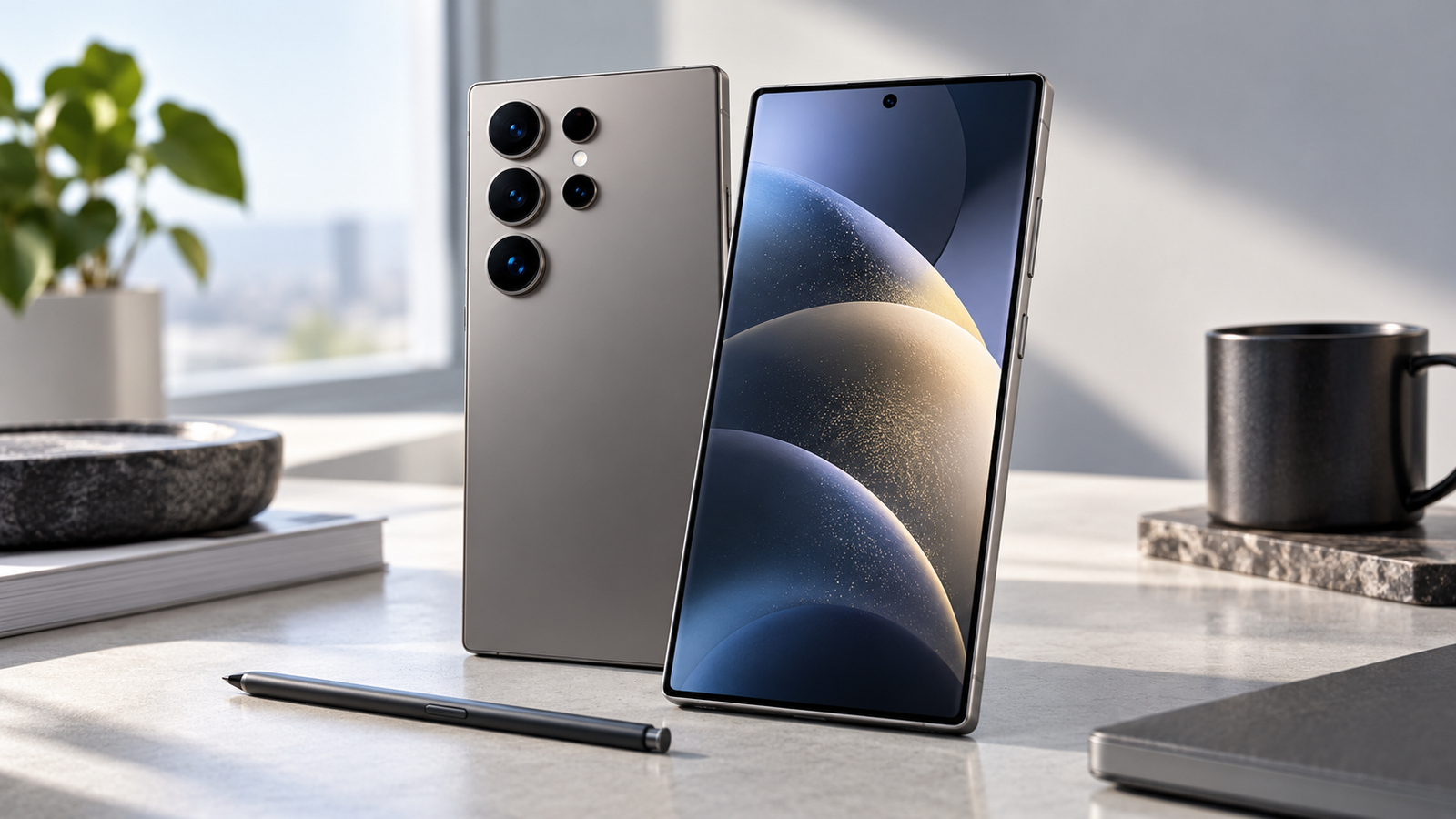
The camera system in plain English
Samsung’s official specifications list a 200MP main rear camera, two 50MP rear cameras, a 10MP rear camera, and a 12MP front camera. The listed optical zoom options include 3x and 5x. A high megapixel count does not always mean better photos in every condition. Lens size, processing, stability, lighting and subject movement all affect the result. For people who photograph school events, travel, pets, or sports from a distance, multiple focal lengths can be useful. For a buyer who posts mostly casual daylight images, test the camera experience before paying a premium. Look at normal resolution photos, not only heavily cropped promotional examples.
Check video features against what you shoot
Samsung’s official information highlights low-light video tools and support for high-resolution capture. If you shoot birthday videos or short clips at night, look for clear skin tones, stable footage while walking, and audio that remains clean in a crowd. A phone can look strong on paper yet still struggle with a moving child in dim light. Try recording a short clip indoors and outdoors using the same settings you usually use. Do not assume 8K capture is the best setting for every job. Higher resolution can mean larger files, longer uploads and more storage needs. For daily social videos, steady framing, good sound and fast sharing often matter more.
S Pen and notes
The integrated S Pen is one reason to choose an Ultra model over a standard large-screen phone. It can help mark up PDFs, jot a note while on a call, and sketch a rough plan. But there is a difference between liking the idea of a pen and using one each day. Think about three tasks where a stylus would save time. A student might add notes to lecture slides; a manager could mark up a contract draft before returning it; a creative user might draw a layout. If you never annotate, the pen should not drive the whole decision. Try the note-taking app in a store and check palm rejection, handwriting comfort, and export formats.

Galaxy AI in daily work
Samsung promotes Galaxy AI features such as natural-language Photo Assist and other software tools. Some features depend on connectivity, service terms, language, account, and device software. AI tools can help make a rough edit or reduce routine steps, but they still need review. If you use an AI photo editor, keep a copy of the original and inspect the result at full size. A generated change can alter details you meant to preserve. If you use a writing or summary function, compare names, figures and dates against the source. Features that require uploads should also be reviewed under your personal or workplace privacy rules. Treat AI as a helper, not as a reason to stop checking work.
Battery life and charging
Samsung lists a 5,000mAh typical battery and marketing estimates such as up to 31 hours of video playback. Such claims depend on test conditions; actual life changes with mobile signal, screen brightness, camera use, games and background apps. A power user who records video and uses mobile data all day can see a different result from someone on Wi-Fi indoors. Samsung also advertises charging performance under particular test conditions. Confirm the charger and cable needed, because Samsung’s listed box contents do not include a travel adapter. Before buying a fast charger, check the supported standard rather than relying on an arbitrary wattage label.
Performance and heat
The S26 Ultra uses a customized high-end processor, as described by Samsung. Fast performance helps with games, editing and multitasking, but sustained speed also depends on how a device manages heat. A benchmark taken during a short burst is not the same as thirty minutes of gaming on a warm day. If mobile gaming is a major reason for your purchase, look at several independent long-session tests, not just peak scores. Check frame-rate stability, battery drain and whether a case makes the phone uncomfortable. For most users, app loading, camera launch time and background reliability are more useful measures than a large benchmark number.
Storage and long-term value
Look at the storage variant you are comparing, not only the phone name. Photos, 4K video, downloaded shows, games and offline maps consume space quickly. A person who shoots many high-resolution clips may benefit from a larger storage tier. Someone who streams and backs up photos could save money with a smaller variant. Calculate expected needs from your current phone’s storage report and add room for the next few years. Check software support details on Samsung’s current policy page and assess resale value only as an uncertain future factor. A durable case, screen protection and a clear repair policy can matter more than one extra storage tier.
S26 Ultra versus older Galaxy models
If you own a recent Ultra phone, compare what you would gain in actual use. A newer chip, revised camera processing, display changes or AI tools may matter, but the upgrade cost should match the benefit. Write down the problems with your current phone: weak battery, cracked display, lack of storage, slow camera or missing software support. Then check whether the S26 Ultra fixes each one. If your phone works well and receives security updates, keeping it another year can be the smarter financial choice. Buying used or refurbished can also offer value, though warranty, battery state and seller trust need special attention.
India purchase checklist and warranty
Prices and deals change often. Verify the exact model number, storage capacity, seller, exchange terms, tax invoice and local warranty before ordering. For online listings, be careful when a product page mixes multiple variants or bundles. The model sold in one country may differ in warranty and supported network features from another. Check return conditions for opened smartphones. Inspect the device, accessories, seals and invoice when it arrives, and keep a record of the order. If the seller offers a trade-in, compare its final value with what you could earn from a reliable resale channel. A larger advertised discount may hide stricter conditions.

Our practical buying verdict
Choose the Galaxy S26 Ultra if you genuinely need a large 120Hz screen, S Pen, advanced camera options and flagship performance, and you are comfortable with its size and cost. Look at a smaller Galaxy S model if you value one-hand use. Compare a recent refurbished flagship if price matters most. This article uses official Samsung specifications and a buyer-focused checklist; we have not claimed hands-on camera, battery or gaming tests. Check trusted independent reviews for real sample photos and long-term battery observations. The best phone is the one that solves your routine problems for a price that leaves room for a good case, charger and backup plan.
Frequently asked questions
Does the S26 Ultra include a charger?
Samsung’s listed in-box items do not include a travel adapter. Check the exact local package and charger compatibility before buying.
Is it good for photography?
It has a capable camera specification with several focal lengths. Real results vary by light and subject. Compare full-size sample shots from credible independent testers.
Does it support the S Pen?
Yes. Samsung lists S Pen support. Try handwriting on the device if notes are your main reason to buy.
Is 200MP always better?
No. Sensor performance, optics, processing and how you share photos matter as much as the headline pixel count.
How to compare prices without losing sight of value
Start with the amount you will pay today, not the headline maximum exchange offer. A trade-in bonus may apply only to a phone in a certain condition. A bank offer may require a particular card, payment plan, or minimum order. Make a simple comparison with the base price, trade-in value, fees, taxes, delivery cost and accessories. If the store offers an installment plan, calculate the total paid over the full term. An installment plan that looks small each month can still cost more than a sensible budget. Check whether insurance, a repair plan or an extended warranty is optional.
Next, estimate how many years you expect to use the phone. A phone used every day for four years may justify more upfront cost than one changed after twelve months, but only if the features matter. Compare your realistic alternatives, such as a standard Galaxy S model, a previous Ultra, or a lower-cost Android phone. Do not add a feature to your “must have” list merely because it appears in an advertisement. A purchase should solve a problem you already know you have.
A small buying worksheet
Write five rows: actual checkout cost, estimated resale or trade-in value, accessory costs, expected years of use, and the three features you care about most. Divide the net cost by your expected years of use to see a simple annual ownership estimate. This is not a precise resale forecast. It is a way to compare choices using the same assumptions. If a much cheaper model meets all three of your needs, that is a strong reason to save the difference.
Set up the phone well on day one
Before moving your data, update your old phone and make a fresh backup. Confirm that photos, contacts, authentication apps and important documents are included. Some two-factor authentication apps require a separate export or transfer flow. Keep your old phone available until you can sign in to banking and work tools on the new one. Use the vendor’s transfer process only after reviewing what it will copy, and do not wipe the old device until you have verified the result.
After setup, install software updates, turn on a strong screen lock, and check account recovery options. Review location, camera, microphone and notification permissions for apps that transferred across. Enable device-finding features and test that you can locate the phone from another trusted device. Set the camera to a practical default resolution for your storage needs. If you plan to shoot travel video, try a short clip first and check that it backs up as expected.
Do not forget everyday comfort. Adjust the display font size and keyboard height. Check the screen’s color settings, one-handed mode, and the quick-access controls you use most. Test whether your case interferes with gestures or S Pen comfort. Spend one week watching battery use before deciding whether the device lasts long enough; the first setup day can involve extra syncing and downloads. If a feature does not help, turn it off rather than leaving more services running by habit.
What to inspect in independent reviews
Seek reviews that publish original full-resolution photos and explain the shooting conditions. Compare moving subjects, night streets, portraits, indoor video and zoom samples. For battery reviews, check whether tests use Wi-Fi or cellular data, display brightness, and repeated runs. For performance reviews, prefer sustained game sessions and temperature observations to a single peak score. A detailed review should describe limits as well as strengths. An affiliate link does not replace evidence.
Also check repairability, spare-part availability and local service reputation. A phone that performs well in a short test may still be costly to own if the screen is expensive to replace or service is hard to access. Read both positive and negative owner reports with care. One forum post is not a controlled test, but a pattern of similar complaints can suggest an issue worth researching before you buy.
Sources and related guides
Specifications come from the Samsung India official specification sheet and Samsung Newsroom announcement. For a broader context read our Android 17 guide and AI wearables coverage.