AI PCs in 2026: What NPUs and Copilot+ PCs Actually Change
“AI PC” has become one of the most common laptop labels in 2026. Almost every major processor company and computer brand now talks about neural processing units, local AI, Copilot+ PCs, TOPS ratings, and smarter on-device features. The marketing can make it sound as if every new laptop has suddenly become a completely different kind of computer.

The reality is more useful and less dramatic. An AI PC in 2026 is still a normal computer with a CPU, graphics processor, memory, storage, and operating system. The important new component is a dedicated neural processing unit, or NPU, designed to run certain machine-learning workloads efficiently. Microsoft’s Copilot+ PC category sets a higher hardware bar, including an NPU capable of more than 40 trillion operations per second, commonly described as 40+ TOPS.
This guide explains what an NPU does, what Copilot+ PC means, when local AI matters, and how U.S. buyers should evaluate an AI laptop without paying for a label they do not need.
What Is an NPU?
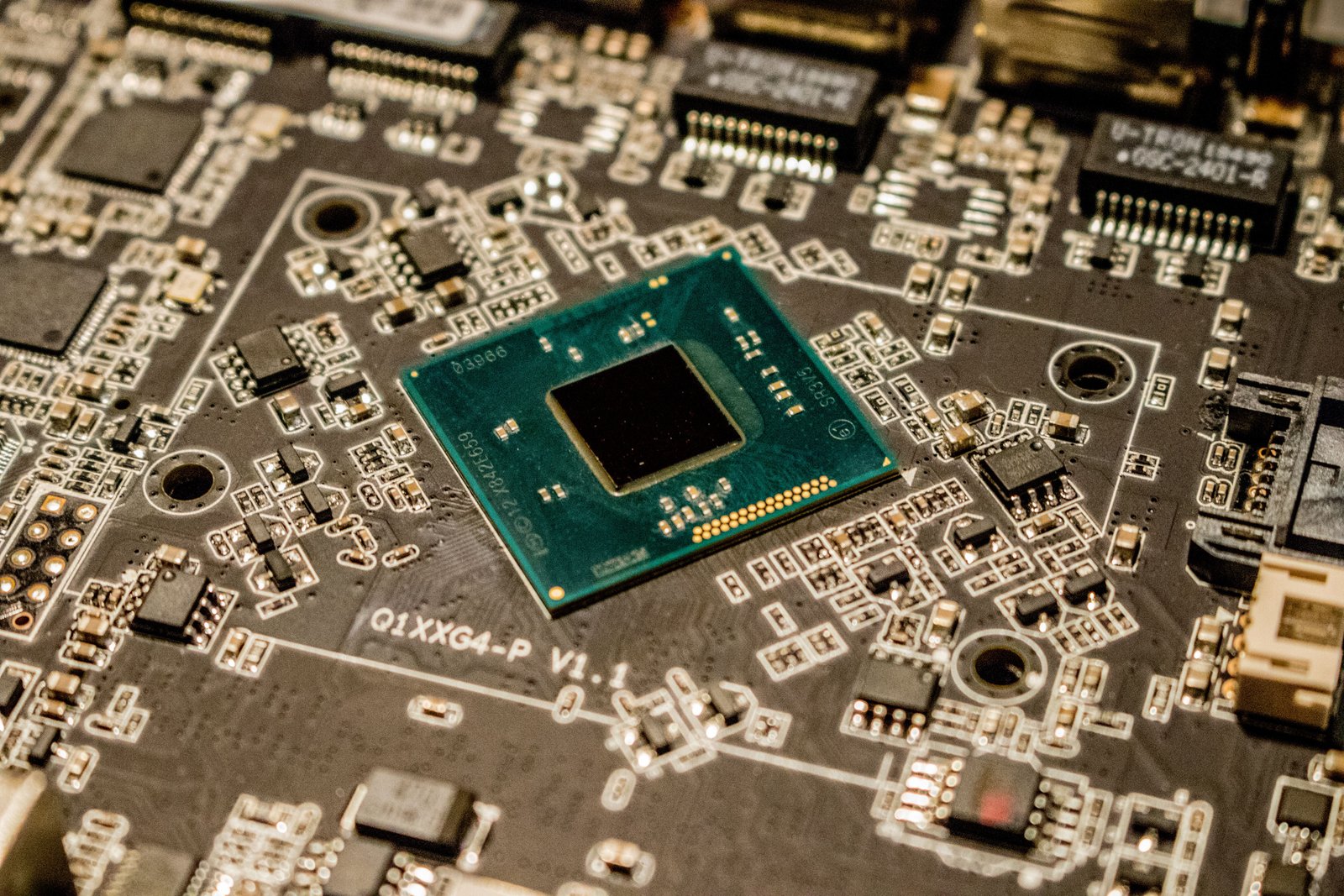
An NPU is a processor specialized for neural-network and machine-learning calculations. CPUs are general-purpose processors. GPUs are highly parallel processors that are excellent for graphics and many AI workloads. NPUs are designed to handle selected AI tasks with better power efficiency.
Why power efficiency matters
A laptop might run an AI effect on the CPU or GPU, but doing so continuously can consume more battery or compete with the applications you are using. An NPU can offload supported workloads so the CPU and GPU remain available for other tasks.
This is particularly useful for always-on or frequent features such as camera effects, background processing, speech enhancement, image analysis, and small local AI models.
What Does 40 TOPS Mean?
TOPS stands for trillions of operations per second. It is a simplified measurement commonly used to describe AI accelerator throughput.
Microsoft describes Copilot+ PCs as Windows 11 PCs with an NPU that can perform more than 40 TOPS.
Do not compare laptops by TOPS alone
TOPS is not the equivalent of a complete performance score. Real AI speed depends on the model, numerical precision, memory bandwidth, software optimization, drivers, thermal limits, and whether the application actually supports the NPU.
A higher TOPS number does not automatically mean the laptop is faster at normal office work, games, video editing, or every AI application.
What Is a Copilot+ PC?
Copilot+ PC is Microsoft’s hardware and Windows experience category for PCs that meet specific requirements for on-device AI performance and other platform capabilities.
As of 2026, the category includes systems based on processor platforms from Qualcomm, AMD, and Intel. That matters because Copilot+ is no longer limited to one chip architecture or one manufacturer.
The important distinction
Every Copilot+ PC is an AI PC, but not every computer marketed as an AI PC necessarily meets Microsoft’s Copilot+ requirements.
If a retailer uses “AI laptop” as a broad marketing term, check the exact NPU specification and Windows feature eligibility instead of assuming it is a Copilot+ PC.
What Local AI Means
Cloud AI sends work to remote data centers. Local AI runs some or all of the model on your own computer.
Potential advantages of local processing
- Lower latency for supported tasks.
- Reduced dependence on internet connectivity.
- Potential privacy advantages because some data can remain on the device.
- Lower cloud-compute cost for developers.
- Better responsiveness for continuous features.
- Ability to use AI features while offline.
Local does not automatically mean private. An application can still upload data even if it also uses the NPU. Review the software’s data behavior, not only the hardware architecture.
Which AI Features Benefit From an NPU?
NPUs are useful for workloads that are designed to run on them. Examples can include:
- Background blur and portrait effects.
- Eye-contact or framing effects.
- Noise suppression.
- Live translation or transcription.
- Image processing.
- On-device text or image models.
- Semantic search.
- Accessibility features.
- Developer AI applications using supported Windows APIs.
The exact features available on a particular laptop can change through Windows and application updates. Check current Microsoft and application documentation instead of assuming all AI PCs have identical functions.
CPU, GPU and NPU: Who Does What?
| Processor | Best known for | AI role |
|---|---|---|
| CPU | General computing and application logic | Flexible AI workloads and orchestration |
| GPU | Graphics and highly parallel processing | Large or demanding AI workloads |
| NPU | Efficient neural processing | Supported local AI with lower power use |
Modern systems use all three. A good AI application may choose the processor that best fits each part of the workload.
Will an NPU Make ChatGPT Faster?
Not necessarily. A cloud AI service performs most model inference in remote data centers, so the speed of the NPU inside your laptop may have little effect on the model’s cloud response time.
The NPU matters when the application runs supported AI models locally or uses Windows features that specifically target the NPU.
This is an important buying distinction. If your AI workflow is almost entirely browser-based and cloud-hosted, CPU performance, memory, battery life, display quality, keyboard, and network reliability may matter more than NPU TOPS.
Where AI PCs Can Make a Real Difference
Video calls
Camera framing, background processing, noise filtering, and other effects can run efficiently in the background without occupying as much CPU or GPU capacity.
Creators
Photo, video, and design applications can use local AI for masking, enhancement, organization, transcription, and content-aware tools when developers support available accelerators.
Developers
Developers can build and test smaller models locally, experiment with Windows AI APIs, and create applications that use the NPU for supported inference tasks.
Travel and offline use
Local models can keep selected AI features working when the connection is slow, expensive, unavailable, or intentionally disabled.
Privacy: Local AI Helps, but It Is Not a Guarantee
On-device processing can reduce the amount of information that needs to leave a computer, but privacy depends on the entire application.
Ask these questions
- Is the feature fully local or partly cloud-based?
- What information is uploaded?
- Is processing history stored?
- Can cloud processing be disabled?
- Does the organization have administrative controls?
- Are sensitive files included in AI indexes?
Business buyers should evaluate AI features the same way they evaluate any software that can access confidential documents.
Memory Matters for AI Workloads
Local AI models can consume substantial memory. A laptop with a strong NPU but insufficient RAM can still feel constrained when you run several applications at once.
For general use
16 GB of memory remains a practical baseline for many modern productivity systems, but heavier creators, developers, virtual-machine users, and local AI enthusiasts may benefit from 32 GB or more.
Memory needs depend on the applications, and some thin laptops use soldered memory that cannot be upgraded later.
Storage Still Matters Too
Local models, creative applications, offline files, and project data can consume storage quickly. A 512 GB SSD may be enough for a cloud-focused user, while creators and developers may prefer 1 TB or more.
Check whether the SSD is replaceable. A premium AI processor does not make a small non-upgradable drive easier to live with.
Battery Life and the NPU
One of the strongest arguments for an NPU is efficiency. Moving certain AI workloads away from the CPU or GPU can reduce energy use.
That does not mean every Copilot+ PC will have identical or exceptional battery life. Display size, panel type, processor design, battery capacity, wireless activity, brightness, and workload still determine the final result.
Compare real battery tests
Manufacturer numbers use specific test conditions. Independent testing with web browsing, video calls, office work, and creative apps is more useful when comparing models.
Do AI PCs Need Internet?
Some features can work locally, but many AI services still rely on the cloud. A Copilot+ PC should not be interpreted as an offline replacement for every cloud assistant.
Think of the NPU as a new local compute resource rather than a guarantee that all AI stays on the machine.
AI PC for Students
Students should prioritize battery life, weight, keyboard, webcam, durability, storage, and software compatibility first.
Local AI can be useful for transcription, accessibility, organization, coding experiments, and creative tools. But a lower-cost traditional laptop may still be a better choice if the student’s required software does not benefit from the NPU.
AI PC for Business
Business IT teams should evaluate management, security, application compatibility, repairability, support life, and data controls.
Before deployment
- Test line-of-business applications.
- Verify drivers and peripherals.
- Review AI data policies.
- Define which AI features are allowed.
- Check VPN and endpoint-security compatibility.
- Confirm docking and monitor support.
- Plan operating-system update rings.
The hardware is only one part of a managed endpoint.
AI PC for Creators
Creators should not sacrifice GPU performance, display quality, storage, or memory just to get a higher NPU number.
Video editing, 3D rendering, effects, and large generative models can still depend heavily on the GPU. Check the software you use and see which hardware engines it actually accelerates.
Our AI video editing software guide explains where AI features can speed up common editing workflows.
How to Shop for an AI Laptop in 2026
Step 1: Check whether it is really Copilot+
If Copilot+ features matter, verify the official designation rather than relying on “AI Ready” marketing.
Step 2: Check the processor platform
Qualcomm, AMD, and Intel systems have different CPU, GPU, battery, connectivity, and application-compatibility characteristics.
Step 3: Check memory and storage
Do not let the NPU distract you from components that affect every application.
Step 4: Check software compatibility
This is especially important for specialist Windows software, drivers, games, plugins, and older hardware.
Step 5: Test the physical laptop
Keyboard, trackpad, ports, display, fan noise, webcam, speakers, and weight determine daily satisfaction.
Common AI PC Buying Mistakes
- Buying by TOPS alone: it is not a complete performance score.
- Assuming every AI app uses the NPU: software support matters.
- Ignoring RAM: local models can be memory-hungry.
- Assuming all AI is local: many features still use cloud services.
- Sacrificing GPU performance: creators and gamers may need the GPU more.
- Ignoring software compatibility: test the applications you depend on.
AI PC Buying Checklist
- Official Copilot+ status if required.
- NPU performance.
- CPU performance.
- GPU performance.
- 16 GB, 32 GB or more RAM based on workload.
- SSD capacity and upgradeability.
- Display quality.
- Battery life.
- Ports and docking.
- Application compatibility.
- Repair and warranty options.
- AI privacy controls.
Frequently Asked Questions
What is a 40 TOPS NPU?
It is a neural processing unit rated for roughly 40 trillion AI-oriented operations per second under the relevant measurement. Microsoft requires more than 40 TOPS for the NPU in Copilot+ PCs.
Is an AI PC worth buying in 2026?
If you are buying a new premium Windows laptop, an NPU can improve longevity for emerging local AI software. But buyers should still prioritize the complete laptop—CPU, GPU, memory, display, battery, ports and compatibility.
Will an AI PC run large language models locally?
Some local language models can run on modern PCs, but the experience depends on model size, memory, software support and which processor is used. The NPU is one part of the local AI stack.
Does a Copilot+ PC require the cloud?
Some experiences can run locally while others use online services. The Copilot+ designation means the hardware can support advanced on-device AI; it does not mean every AI feature is offline.
Conclusion
AI PCs in 2026 are a meaningful hardware evolution, but the NPU should be viewed as another specialized processor rather than a magic replacement for the CPU and GPU.
For buyers, the practical question is whether the applications and Windows features you use can benefit from local AI. Check official Copilot+ eligibility, but also evaluate memory, storage, battery, display, ports and compatibility. The best AI laptop is still the best complete laptop for your workload—now with an additional processor that can handle a growing class of AI tasks efficiently.